
Your clients can easily join your group using the group link. Here is how:
Step 1. Under the "My Groups" tab, navigate to the group that you would like to give access to your clients and click the "Copy Link" button.
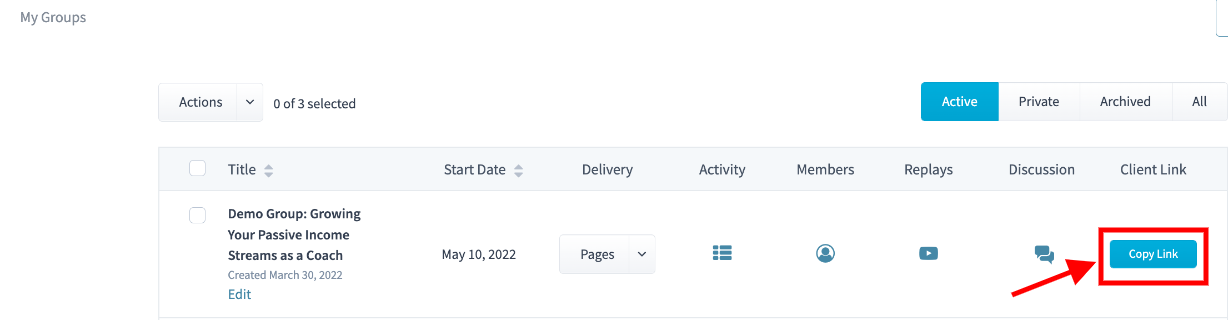
Step 2. Send the copied group link to your clients.
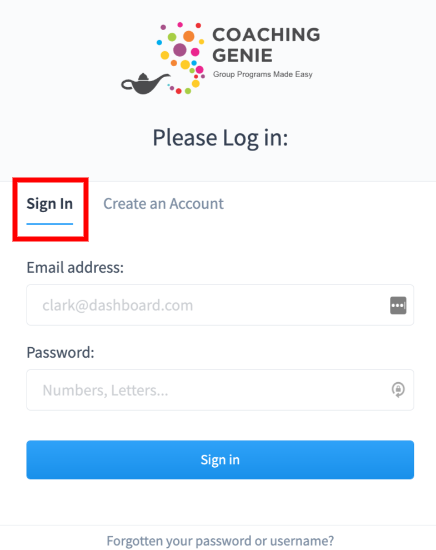
Step 3. When your clients click on the group link, they will be taken to a login page. If they already have a Coaching Genie account, they will simply click on 'sign in' to login with their credentials.
If they are not an existing Coaching Genie user, they will need to sign up for an account by clicking on the "Create an Account" in order to access your group.
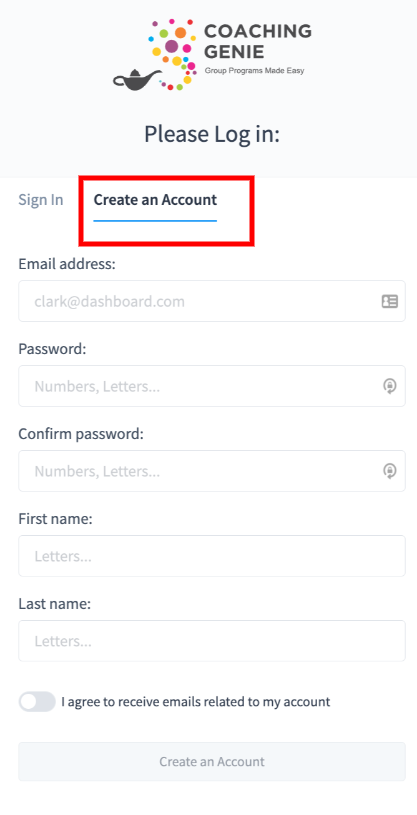
After creating a new account, your clients will receive an email requiring them to verify their email address. Once they verify their email address, they can now sign in with the created login credentials to access your group.
Step 4: Once they have access to your group, they can log in at any time by going to www.GenieLogin.com
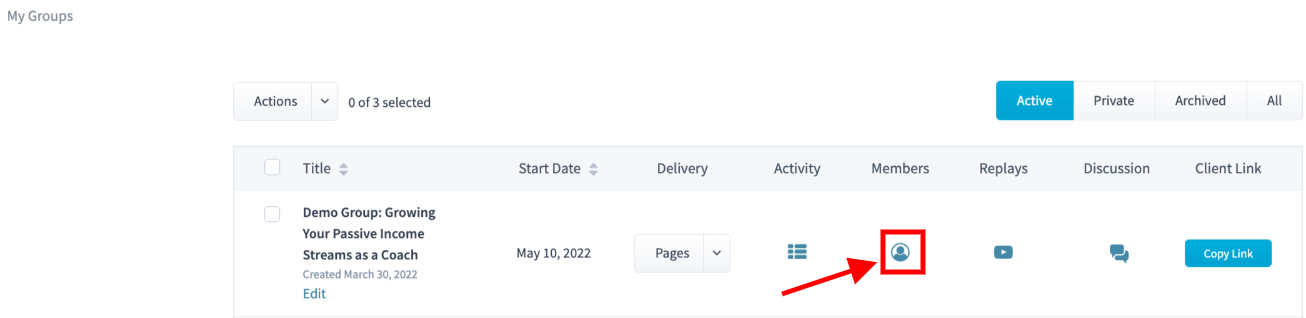
Step 5: To view the list of a group's members, click on the 'members' icon.
Account Activation Reminder
When a new account is created, it must be activated within one hour using the registration email.
If the account is not activated within one hour, the system will automatically delete the account for security purposes. When this happens, the user will need to start the registration process again to create a new account.
If you do not receive the registration email, please check your spam or junk folder. In some cases, email delivery delays may occur, which can prevent the activation email from arriving before the one-hour window expires.
If the activation link expires, simply register again using the same email address to create a new account.