
Progress trackers must be manually selected. If not selected, they will not appear in the client portal.
Steps to remove progress trackers:
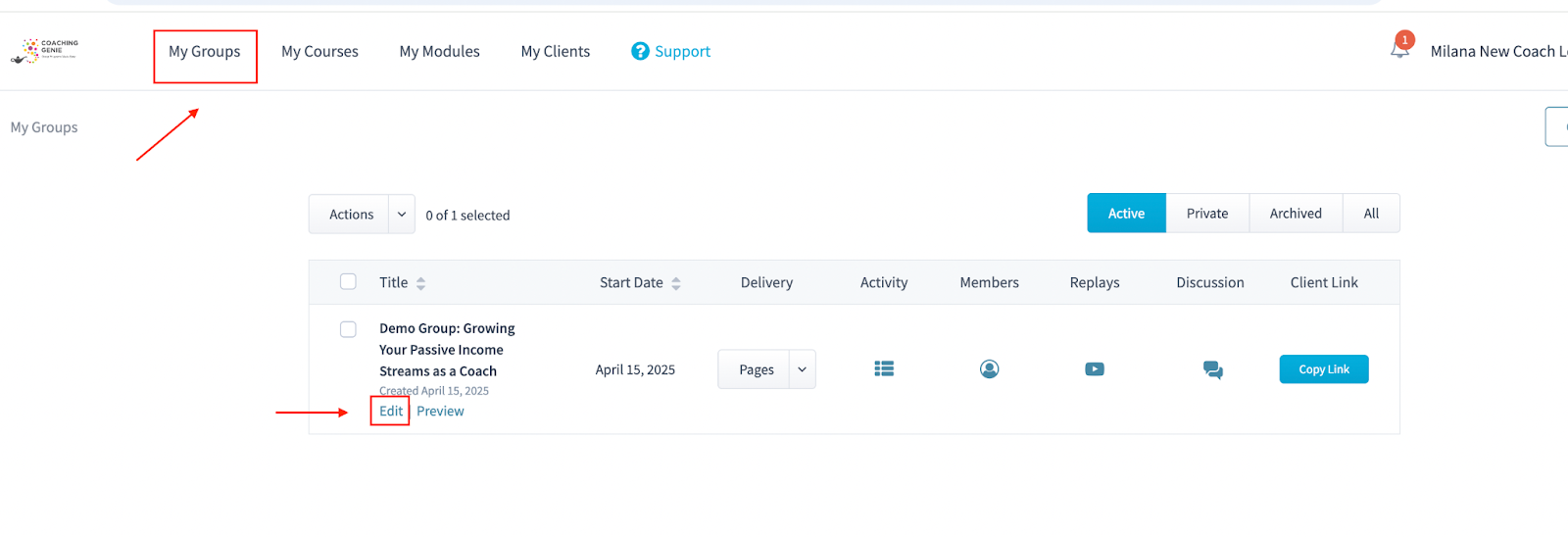
Go to Groups and find the group you want to update.
Click Edit.
Open the Course tab.
Under “Which progress trackers would you like to use for this group?”, unselect any trackers assigned to the group.
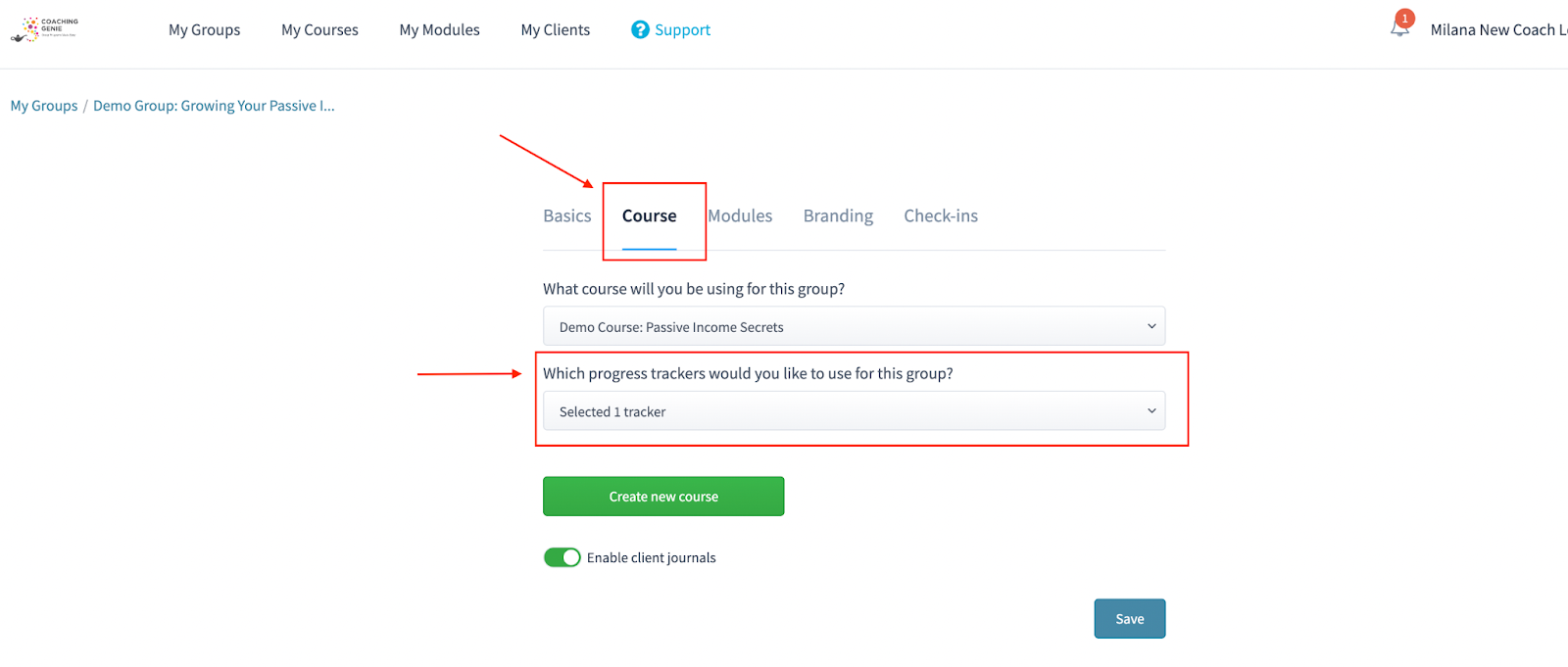
Click Save to apply the changes.
Once the trackers are unselected and saved, they will no longer appear in the client portal.
Please know that certain core features are required and cannot be removed.
Non-removable features:
Welcome
Modules
Files (at least one file-related section remains visible)
These elements are foundational and will always appear in every group.