
Most features inside a group can be disabled. When disabled, the icon disappears from the client portal.
Go to Groups and find the group you want to edit.
Click Edit.
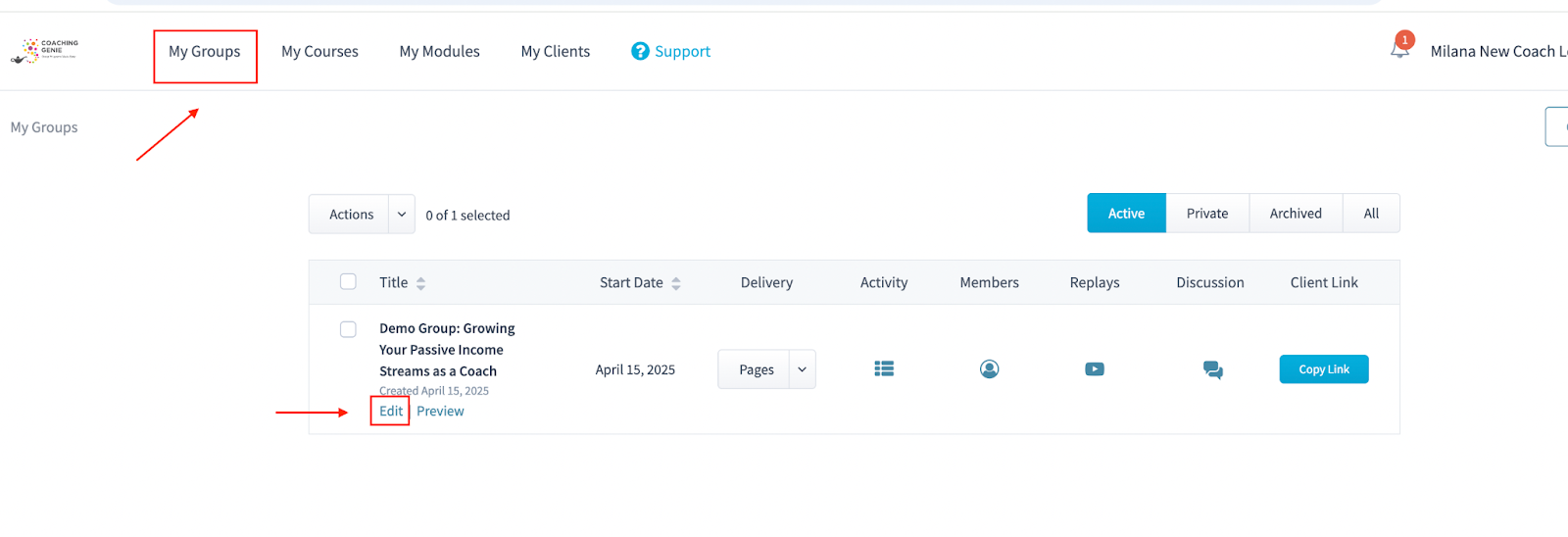
Locate the feature you want to disable (for example, Client Journals).
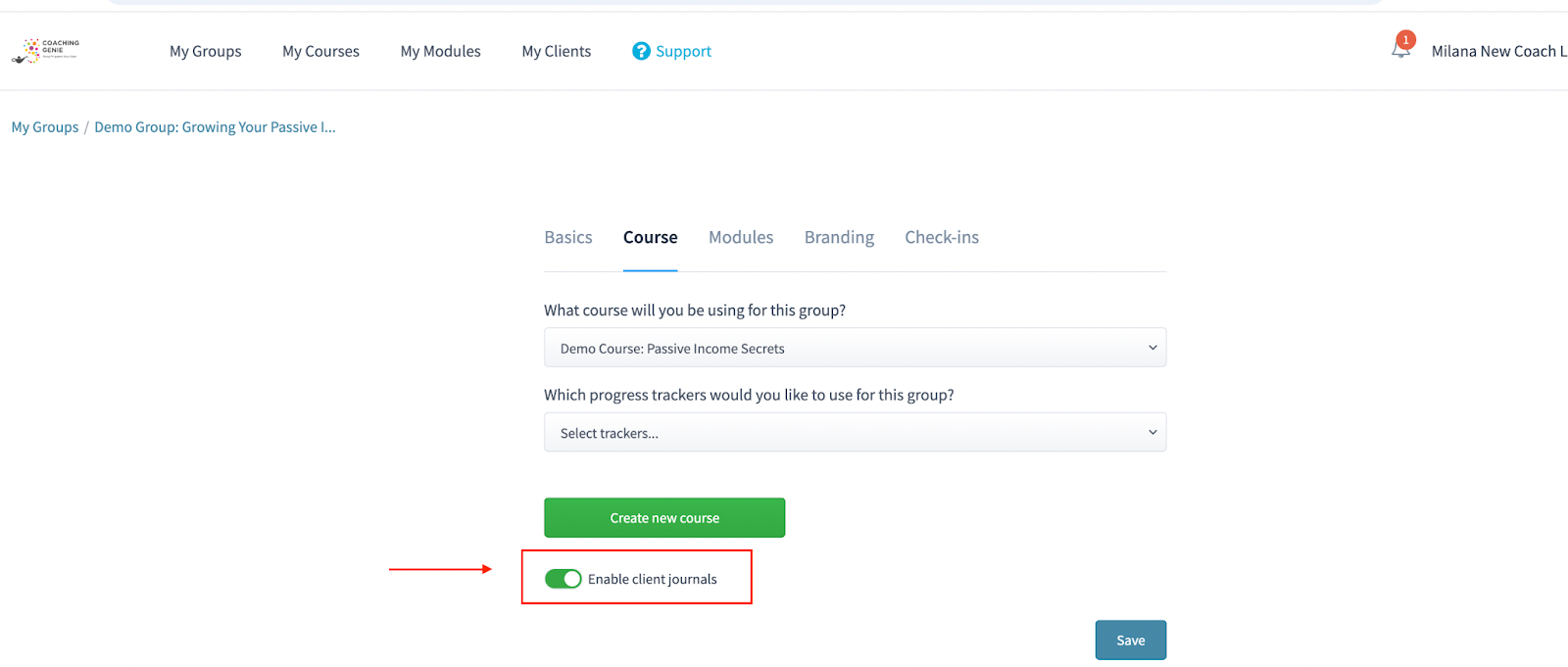
Toggle the feature off.
Click Save.
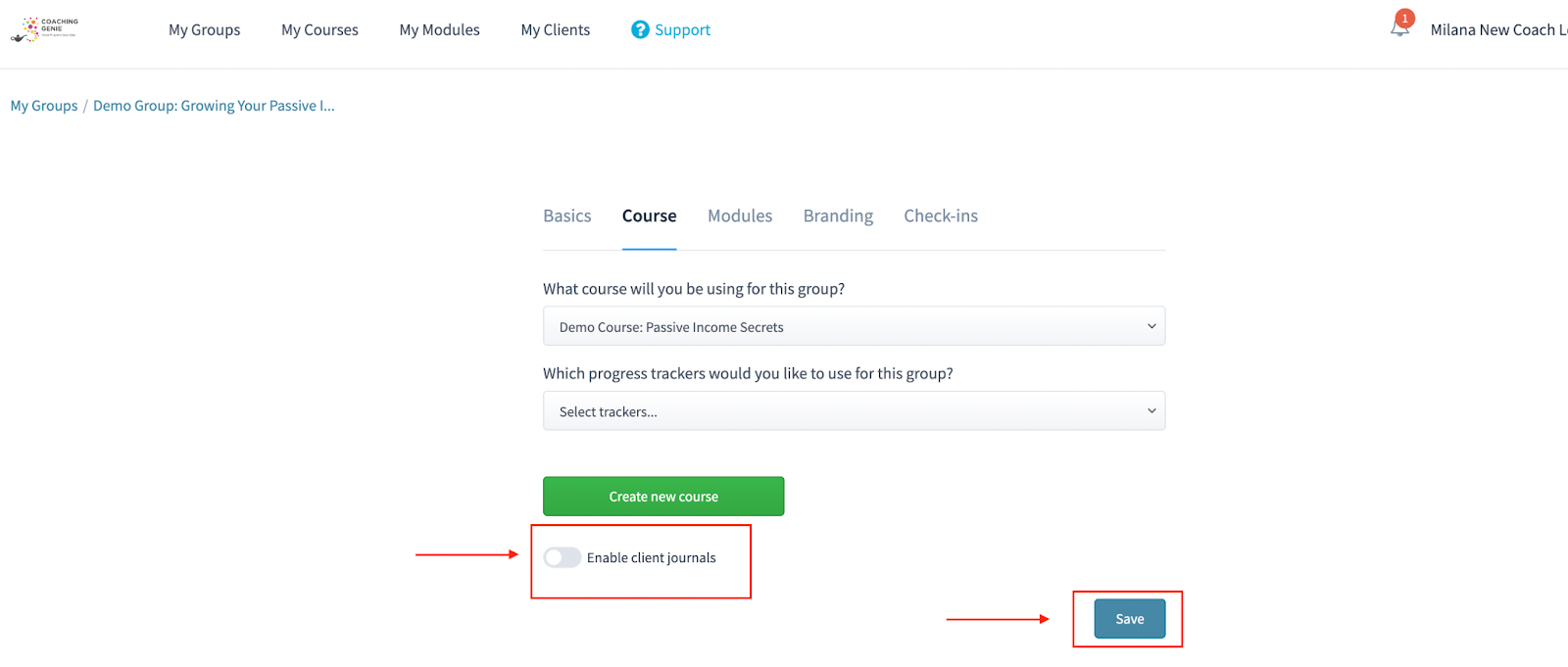
Once the feature is disabled and saved, the feature icon will no longer appear for clients in that group.
Features that can be disabled:
Client Journals
Check-ins
Collaboration
Progress Trackers (by unselecting in Edit Course)
Disabling features helps simplify the client experience.