
If you try to join a group and it doesn't show up in your client portal, you may already be in the group, but your membership is deactivated.
When a member is deactivated, the group will not show in their portal. Searching for the group will not work. Using the group link to join again will not work. The system does not allow the same user to join the same group twice.
To find out:
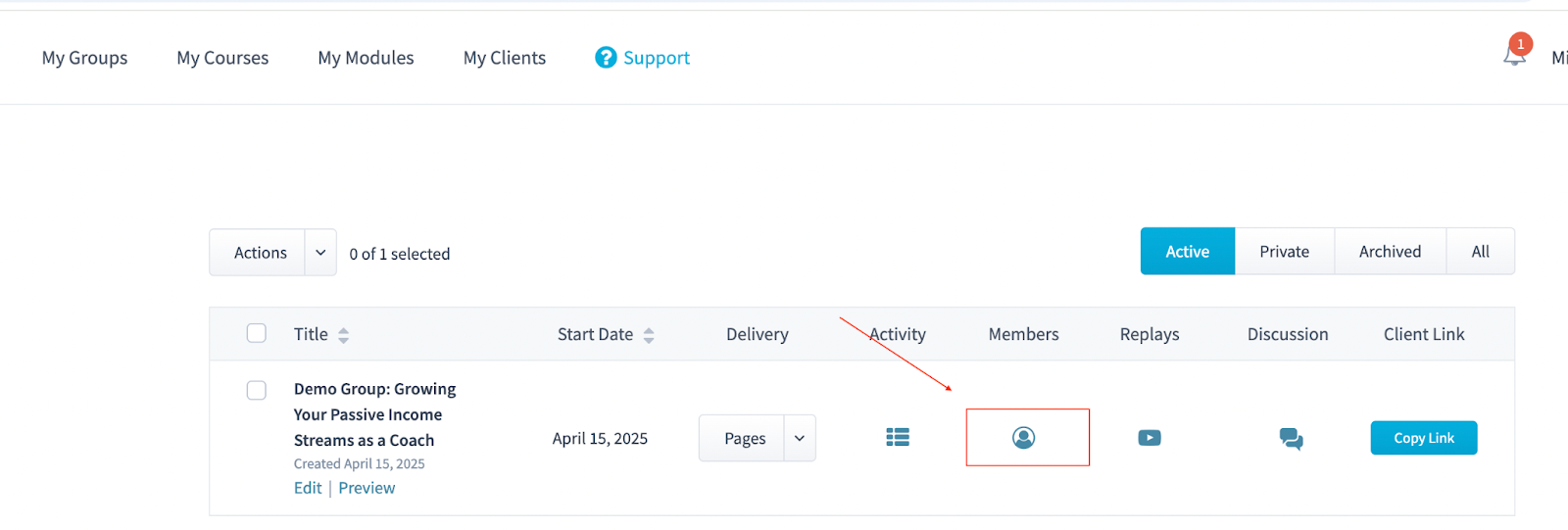
Go to My Groups and locate the group in question.
Click Members.
Search for the client’s name in the member list.
Check the membership status to confirm whether the client has joined the group or has an active or deactivated status.
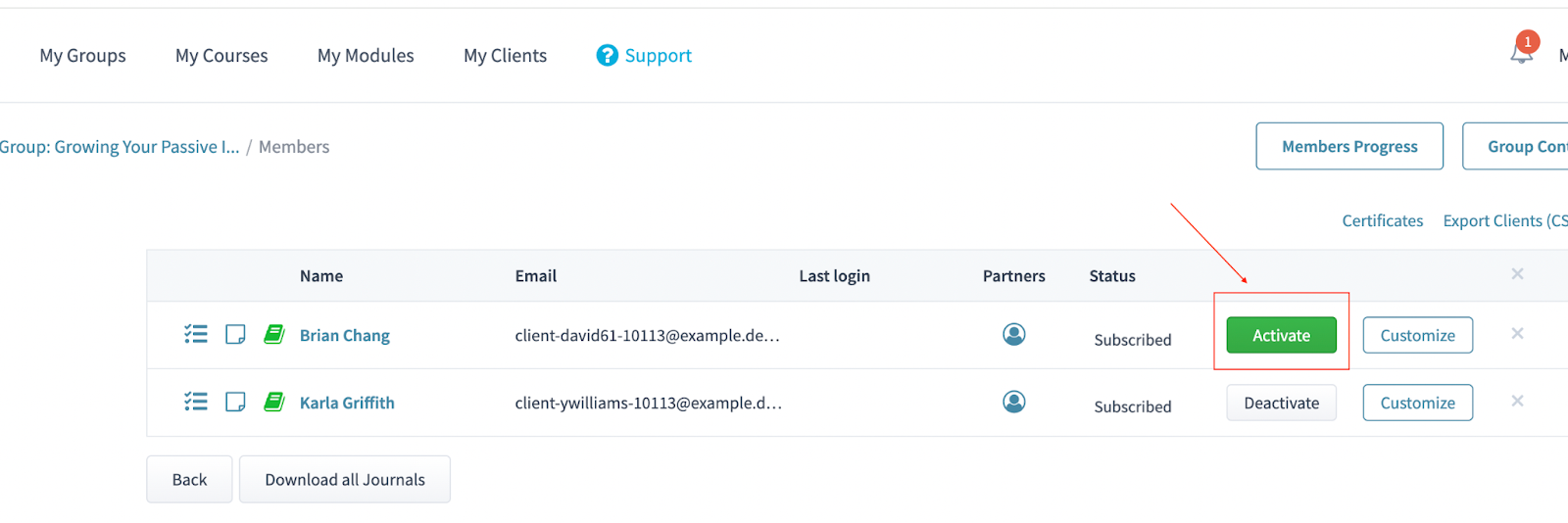
If you see the status “Activate,” that means the member has been deactivated from the group. This is the reason the client cannot see or join the group.
To fix the issue, simply click "Activate."
Once reactivated, the group will now appear in the client’s portal.
Only active members can see and access a group. If someone cannot join a group they were previously part of, always check their membership status first.