
When a group member creates a new discussion forum post, you will get an email notification.
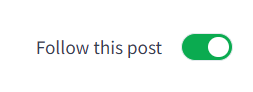
Your Clients can turn the "Follow Post" toggle ON for any post they want to be notified about. This toggle is located in the top right corner of every discussion post.
- As a Coach, you will receive a notification when a new discussion post is made.
- Both, Coaches and Clients will receive a notification when their discussion post receives a response.
- Coaches do not get notified about a comment made on someone else's discussion post.
- NEW: Clients receive a notification with the Coach makes a new discussion post.
Please note that discussion forum notifications are separate from general account notifications.
Discussion Notifications
- A client publishes a post.
- The post is created, and all group members are automatically subscribed to it.
- The coach receives a notification.
- For every other group member (except the author), notifications are handled according to their personal notification settings:
- Every Post → an email is sent immediately.
- Daily Digest → the post is included in the member's daily digest.
- Weekly Digest → the post is included in the member's weekly digest.
- Never → no email is sent.
- For all recipients, the post is marked as unread until they open it.
Notification Settings
Setting What Happens
Setting What Happens
- Every Post - An email is sent immediately after the post is created.
- Daily Digest - A notification is queued and sent in the user's daily digest, delivered by 10:00 AM in their time zone.
- Weekly Digest - A notification is queued and sent in the user's weekly digest, delivered by 10:00 AM on Monday in their time zone.
- Never - No email is sent. This effectively means the user has turned off post notifications in their account.
Related Articles: